


Best Card for Online Shopping from US, UK & EU Sites in Singapore (2026)
This article covers:
- Key Takeaways
- Singapore bank cards add up to 3.5% on every overseas order
- What a S$500 overseas cart actually costs with each card type
- amaze Wallet Mode vs Linked Card Mode: Fee difference explained
- Earn KrisFlyer miles on overseas purchases via amaze wallet
- How to set up amaze for international online shopping
- Frequently Asked Questions
- Get the amaze card: No annual fee, no FX fees, instant virtual card
Singaporeans shopping on US, UK, or EU sites pay up to 3.5% in foreign transaction fees on every order using a standard bank card — costs that add up to S$16 on a S$500 haul. The Instarem amaze card eliminates those fees entirely in Wallet Mode and replaces your bank’s FX spread with a rate of up to 2.1% in Linked Card Mode, so every overseas checkout costs less.
According to Milieu, almost half of Singapore’s population shops online weekly, and 10% do so every day. Paying for international shopping isn’t as straightforward as clicking checkout — foreign transaction fees, poor exchange rates, and weak rewards quietly inflate every order. This guide compares how the Instarem amaze card stacks up against standard Singapore bank cards on FX fees, rewards, and setup — so you can decide whether switching your checkout card saves you money on your next Amazon US, ASOS, or iHerb order.
Key Takeaways
- Standard Singapore bank cards (DBS, UOB, OCBC, Citibank) charge foreign transaction fees averaging 3.25%, adding approximately S$16.25 to a S$500 overseas cart.
- The Instarem amaze card applies 0% foreign transaction fees in Wallet Mode, bringing the cost of the same S$500 haul to exactly S$500.
- In Linked Card Mode, amaze replaces your bank’s FX spread of up to 3.5% with a spread of up to 2.1%, so you pay less while still earning your bank card’s rewards points.
- Eligible amaze wallet purchases earn 0.5 InstaPoints per S$1, which convert to KrisFlyer miles at 3 InstaPoints per mile — with no conversion cap.
- The amaze virtual card is issued instantly via the Instarem app after Singpass verification and can be used immediately at Amazon US, ASOS, iHerb, and any international site that accepts Mastercard.
Singapore bank cards add up to 3.5% on every overseas order
Every time a Singaporean uses a standard DBS, UOB, OCBC, or Citibank card on an overseas website, the bank adds a foreign currency transaction fee averaging 3.25% on top of the published exchange rate — a charge most shoppers never notice until they check their statement.
Say you paid S$300 for a UK fashion retailer. That’s nearly S$10 in extra fees, invisibly added at checkout. Foreign transaction costs are typically made up of multiple layers:
- A currency conversion fee charged by Visa or Mastercard
- An administrative fee added by your bank
- Sometimes an additional exchange rate markup hidden in the conversion itself
And if you accidentally choose to pay in Singapore Dollars through Dynamic Currency Conversion (DCC), costs can become even worse due to inflated exchange rates.
Standard FX Fees Charged by Major Singapore Banks (2026)
| Bank | Typical Foreign Currency Fee |
|---|---|
| DBS | Around 3.25% |
| OCBC | Around 3.25% |
| UOB | Around 3.25% |
| Citibank Singapore | Around 3.25% |
| HSBC Singapore | Around 2.25% to 3%, depending on card type |
| Standard Chartered | Up to 3.5% for some cards |
What a S$500 overseas cart actually costs with each card type
The extra costs start piling up even during completely normal monthly shopping. Without even trying, a fairly typical Singaporean online shopper’s cart across multiple sites looks something like this:
| Store | Currency | Approx. SGD Value |
|---|---|---|
| Amazon US (Electronics) | USD | S$120 |
| iHerb (Vitamins) | USD | S$95 |
| Sephora US (Skincare) | USD | S$110 |
| ASOS (Clothing) | GBP | S$105 |
| Myprotein EU (Supplements) | EUR | S$70 |
| Total Cart Value | S$500 |
What this haul costs with different cards
When you use a traditional bank card, the transaction goes through the foreign currency markup process described above. Here is how the final bill shapes up across different card types:
| Card Type | Total FX Cost (on S$500) | What You Actually Pay |
|---|---|---|
| UOB / DBS / OCBC / Citibank | S$16.25 | S$516.25 |
| Wise Debit | ~S$2.50 (variable fee) | ~S$502.50 |
| amaze card | S$0 | S$500.00 |
If you charge this S$500 haul to a traditional bank card, you are handed an extra bill of up to S$16.25 — enough to cover a casual meal or the international shipping fees. This is exactly why low-FX or zero-FX-fee cards like the amaze card have become increasingly popular among Singaporeans who shop internationally often.
amaze Wallet Mode vs Linked Card Mode: Fee difference explained
The flexibility of the amaze card across various supported currencies and merchant types makes it versatile. However, the exact fee structure depends on your chosen transaction mode:
Wallet Mode funds transactions from your amaze wallet balance, topped up via PayNow or Apple Pay, and applies a 0% foreign transaction fee on all USD, GBP, and EUR purchases — no markup, no conversion charge, and no annual fee.
Linked Card Mode charges transactions to a Singapore-issued Mastercard of your choice, replacing your bank’s standard FX spread of up to 3.5% with amaze’s spread of up to 2.1% — meaning you pay less than using your bank card directly while continuing to earn your card’s rewards points. You can link up to five different Mastercards simultaneously.
Earn KrisFlyer miles on overseas purchases via amaze wallet
The Instarem amaze card is officially partnered with Singapore Airlines, allowing eligible amaze wallet spending to earn InstaPoints that convert directly into KrisFlyer miles — at a rate of 3 InstaPoints per 1 KrisFlyer mile, with no cap on conversions.
Currently, the earn rates are:
- Earn 0.5 InstaPoints for every S$1 spent via the amaze wallet
- 3 InstaPoints convert into 1 KrisFlyer mile
- No cap on miles conversion
A S$500 purchase funded through the amaze wallet earns 250 InstaPoints (at 0.5 InstaPoints per S$1), which converts to approximately 83 KrisFlyer miles — enough to contribute toward Singapore Airlines redemptions or upgrades with consistent monthly shopping.
Some users also pair amaze with the best rewards credit cards in Singapore to continue earning their bank card points separately in Linked Card Mode, depending on the card and transaction type.
How to set up amaze for international online shopping
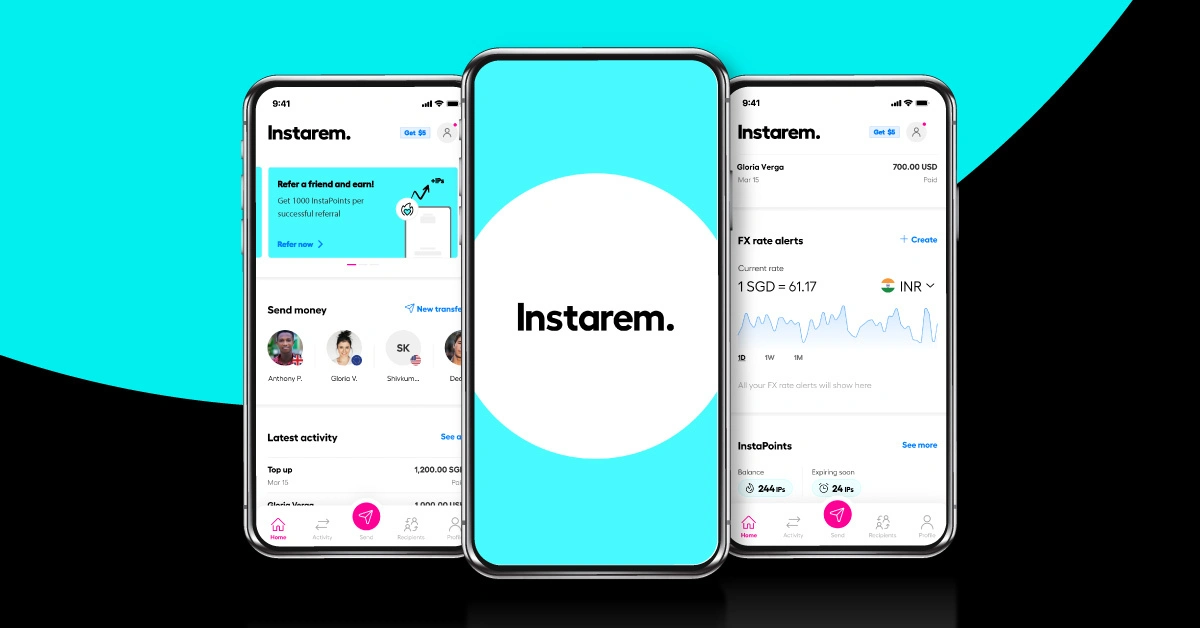
Applying for the amaze card takes approximately five minutes using the Instarem app on iOS or Android. Singaporeans who verify via Singpass MyInfo receive instant account approval, and a virtual card — with its own card number, expiry date, and CVV — is issued immediately inside the app, ready to use at any online checkout.
Step 1: Download the Instarem app
Head to the Apple App Store or Google Play Store and download the official Instarem app. For the fastest registration experience, select the option to sign up using MyInfo with Singpass. This automatically fills out your identity verification details securely, so account approval happens almost instantly.
Step 2: Apply for and activate the virtual card
Once your profile is approved, open the dashboard and tap the card icon to apply for your amaze card. The moment you complete the quick setup prompts, amaze instantly generates a Virtual Card with its own unique card number, expiry date, and CVV. You can use this digital card for all online transactions immediately.
Step 3: Choose your funding method
- To use Wallet Mode (0% FX fees): Top up your amaze wallet via PayNow or Apple Pay. There are zero top-up fees and funds appear instantly.
- To use Linked Card Mode: Navigate to card settings and input the details of your favourite Singapore-issued Mastercard credit or debit cards. You can link up to five different Mastercards simultaneously.
Step 4: Use the virtual card at every foreign checkout
At checkout on an overseas site, pull up the Instarem app, tap ‘Card Info’ to copy your virtual amaze card number, and use that as your primary payment method. Because amaze operates on the Mastercard network, it is accepted at any digital storefront that takes standard credit cards.
Step 5 (optional): Save amaze in your browser’s autofill
Save your virtual amaze card details into your browser’s secure autofill settings — Google Chrome Autofill or Apple Safari Keychain. Your browser will automatically input your fee-saving card details at checkout, without requiring you to open the app every time.
Download the Instarem app and get your virtual card in 5 minutes
Frequently Asked Questions
Get the amaze card: No annual fee, no FX fees, instant virtual card
The amaze card carries no annual fee and no minimum spend requirement. Singaporeans can apply, verify via Singpass, receive a virtual card, and use it at Amazon US, ASOS, iHerb, or Sephora US within the same session — without waiting for a physical card. The sooner you start, the sooner you can convert your InstaPoints to KrisFlyer miles.
Disclaimer: Rates and terms are current as of May 2026. amaze is a product of Instarem (Nium Pte. Ltd.). While there are no annual fees, a 1% fee applies to domestic SGD transactions. Reward eligibility depends on your bank’s terms; always check your card’s latest rewards policy before spending.